
Bottom line: the Korea travel apps to install before you fly are NAVER Map and Papago for getting around, k.ride for taxis, CatchTable and Shuttle for food, and KORAIL for trains, because their own official pages say they work with a foreign phone number or card.
Quick Korea Travel Guide
Getting in: File the free e-Arrival Card unless you hold a valid K-ETA, and check the 2027 K-ETA change.
Stay in touch: Every app below needs data, so get a Korea eSIM from Airalo before you fly (from $4.00 in October 2026). The eSIM vs SIM guide compares options.
Download the apps: Start with NAVER Map (setup guide) and Papago, then pick a taxi app from section 3.
Where to book things: KORAIL PASS on KKday (2 days, ₩131,000, rated 4.8 from 685 reviews on 15 October 2026), WOWPASS voucher on KKday (4.7 from 1,568) and GetYourGuide Seoul tours.
Getting around: Compare T-money and the Climate Card and read the WOWPASS review before you load a card.
Disclosure: Some links above are affiliate links. If you book through them I may earn a commission at no extra cost to you.
Most lists of Korea travel apps stop at the names. The question that ruins a trip is whether the app lets a visitor in without a Korean phone number and takes a foreign card. Every claim below comes from the operator’s own page, App Store listing or press release (as of 15 October 2026). Sign-up and payment rules change, so confirm in the app before you rely on one. The full source list, including VisitKorea and NAVER, is at the end.
Quick answer
- Maps: NAVER Map; since 4 June 2026 a passport check lets foreign users book and pay in it without a Korean number.
- Translation: Papago lists 14 languages, with image, voice and offline text translation.
- Taxi: k.ride is Kakao Mobility’s app for foreigners and takes overseas cards only; for Kakao T, choose pay-the-driver.
- Trains: korail.com’s English site and the KORAIL+ app accept credit cards; travellers report foreign-card errors.
- Food: CatchTable needs no Korean number; Shuttle needs only an email.
- Money: WOWPASS tops up with Mastercard, JCB and Visa via PayPal; keep a card and some cash for shops instead of relying on the Naver Pay or Kakao Pay wallets.
- Help: 1330 (+82-2-1330 from abroad) for travel help; 112 or 119 for emergencies.
eSIM pick · Data for every app · via Airalo
Airalo South Korea eSIM
Unlimited-data Korea plans: 3 days $12, 7 days $29, 30 days $69 · install before you fly · from $4.00 for regional Asia plans (as of Oct 2026)
What this guide covers
What Makes Korea Travel Apps Work for Visitors?
Three tests decide it. Sign-up: does the app accept a foreign number, a Google or Apple login or an email, or does it demand a Korean mobile number and ID check? Payment: does it take a foreign Visa or Mastercard? Language: is the menu in English? Every date below is 15 October 2026.
1. Maps: The Korea Travel Apps for Getting Around
NAVER Map: the default
NAVER Map’s US App Store listing says “Korean/English/Japanese/Chinese maps and English navigation provided”; version 6.11.0 shipped on 4 October. For visitors the key news is NAVER’s announcement of 9 June 2026: Passport Verification, live since 4 June, lets foreign users with non-Korean passports use NAVER Map bookings, orders and payments “without a Korean mobile phone number”. Search and directions are not behind that gate. My NAVER Map in English guide shows the language setting.

NAVER describes Npay Connect terminals at airports and tourist sites that take cash, cards, QR and NFC, so at those terminals pay with a card, cash, QR or NFC rather than counting on adding a foreign card to the Naver Pay wallet.

KakaoMap and Google Maps
KakaoMap (version 6.30.1 this week) has an English setting, though place names often stay in Hangul. Korea conditionally approved Google’s map-data export on 27 February 2026, but full Google Maps navigation has not launched as of 15 October 2026, so use NAVER Map for routes.
2. Translation: Papago
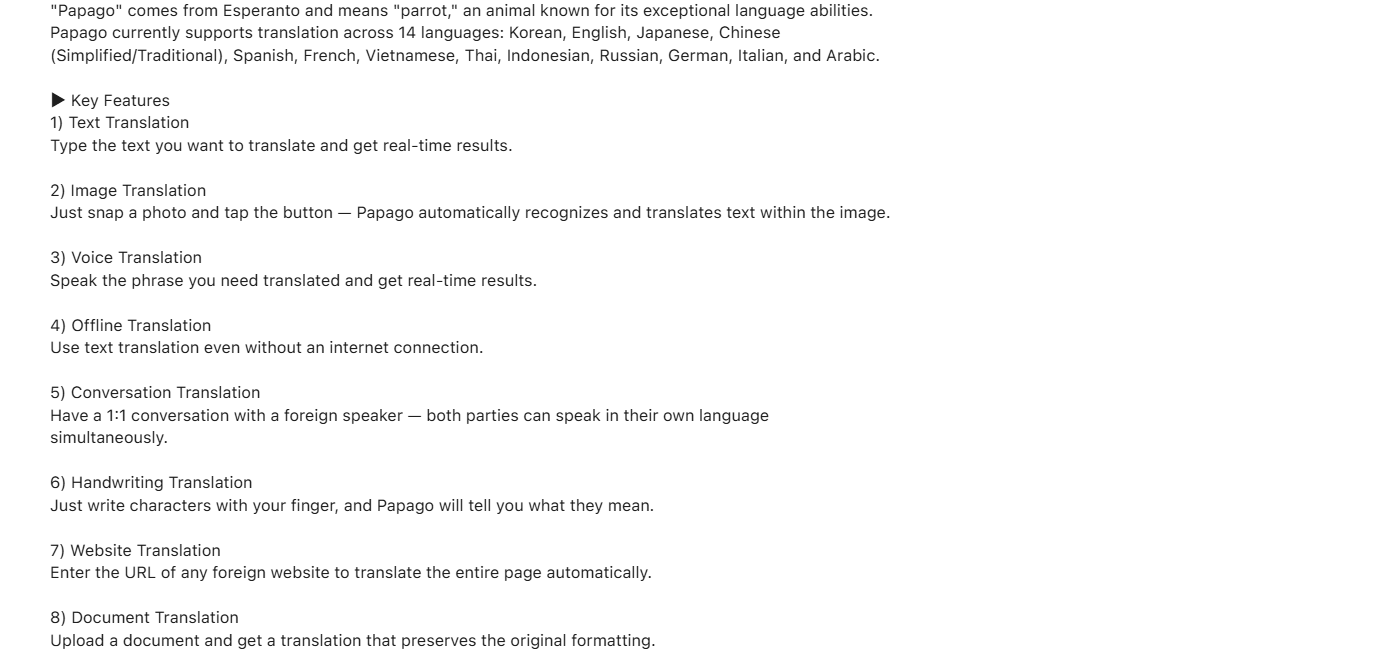
Papago’s US App Store listing says it supports 14 languages: Korean, English, Japanese, Chinese (Simplified and Traditional), Spanish, French, Vietnamese, Thai, Indonesian, Russian, German, Italian and Arabic. It lists text, image, voice, conversation, website and document translation, plus offline text translation. Test a menu photo first before you rely on it for prices or allergies.
3. Taxis: k.ride, Kakao T and Uber
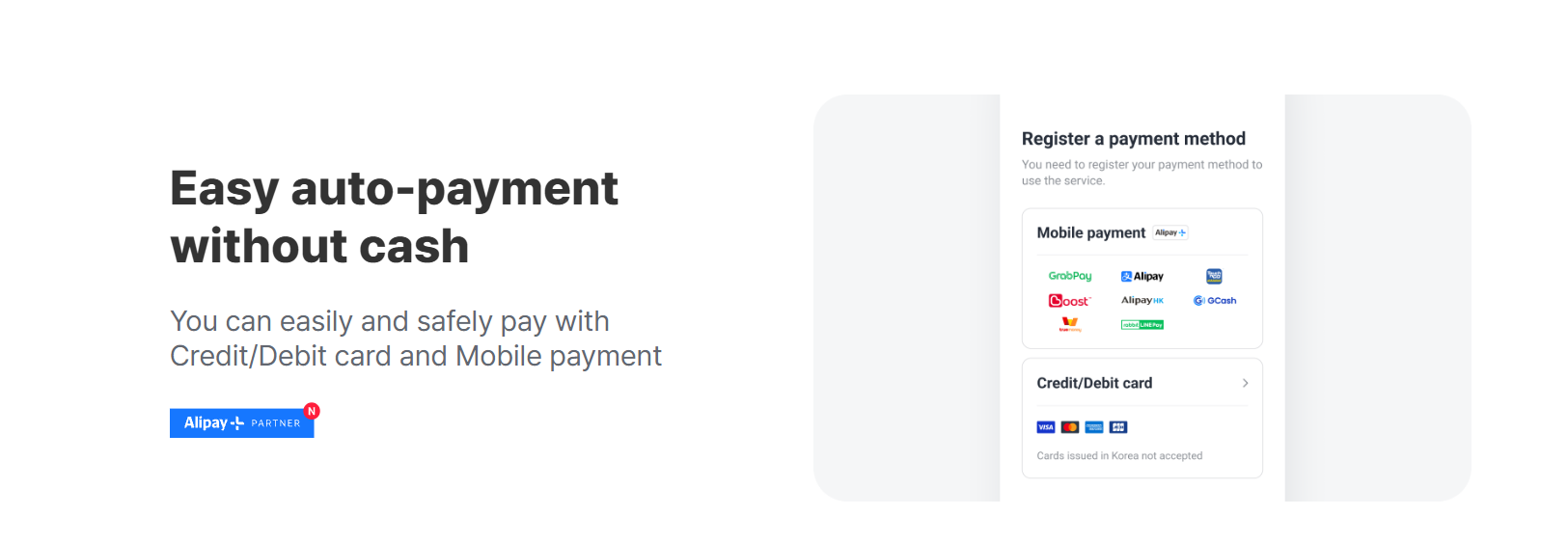
Phone numbers and cards bite hardest here. k.ride is Kakao Mobility’s app for global travellers. Its official site promises an English, Japanese or Chinese interface, driver chat translated across 133 languages, and payment by credit or debit card or mobile wallet. Its payment screen shows Visa, Mastercard, American Express and JCB logos with the note “Cards issued in Korea not accepted”, and the App Store listing says you sign up by authenticating your device or linking a social account. It is the clearest foreign-friendly taxi option.
Kakao T (version 7.15.0, 15 October) is the app most Korean taxis dispatch from, but in-app auto-payment with a foreign number or card can fail. Choose “pay the driver” and tap a foreign card, WOWPASS or T-money in the car; see my Kakao T taxi guide. Uber also runs in Seoul; check in the app whether your account and card work.
4. Trains and Subway: KORAIL+ and MobileTmoney
KORAIL+ for KTX
KORAIL’s English ticketing guide says tickets sell on korail.com, in the KORAIL+ app, at machines and at stations, from 07:00 two months before departure, and that you can pay by credit card. A KORAIL notice dated 21 August 2026 announced a short suspension of “foreign credit card payments” for maintenance, which confirms a foreign-card service exists. Foreign cards can stall at 3-D Secure, so book early and keep a backup. The KORAIL PASS on KKday lists the same ₩131,000 2-day price as KORAIL, which says the pass needs a passport and credit card and is not for Korean nationals. See KTX sold-out backup routes.

Rail pass · KTX · via KKday
KORAIL PASS – KTX Train Ticket
⭐ 4.8/5 from 685 KKday reviews · 2-day pass ₩131,000, 3-day ₩186,000 · free cancellation 1 day before (as of Oct 2026)
For visitors, the English website, where you view tickets with an email address, is the documented route; treat the KORAIL+ app as a second option.
Subway apps and MobileTmoney
NAVER Map already gives subway routes. KakaoMetro (Kakao Mobility) and Subway Korea (Malang Studio, English, Korean and Japanese) also exist. MobileTmoney is the iPhone transit card: its listing says no sign-up and top-up with Apple Pay, but it needs an iPhone XS or later on iOS 17.2, and its reviews (3.1 from 174 ratings) call setup confusing. It has taken Mastercard, Amex, UnionPay and JCB but not Visa, so check the card list in the app; see T-money vs Climate Card. Foreign cards still do not open Seoul subway gates; 2027 is Seoul’s rollout plan. See the Seoul subway guide.
5. Food: CatchTable and Shuttle
CatchTable: reservations and waitlists
VisitKorea, the Korea Tourism Organization’s site, says most restaurant systems “require a Korean phone number for registration or do not accept foreign credit cards”. Its answer is CatchTable Global, which per its post of 23 September 2024 lets you sign up through Google or Apple “without the need for a Korean phone number” and pay with “foreign-issued credit cards”. The App Store listing “CATCHTABLE: Book Restaurants” (updated 20 August 2026) repeats it: 20 languages, 8,000+ restaurants, “No Korean phone number required”, remote waitlist. Travellers report that some restaurants appear only in the Korean app.

Shuttle, Baemin and Coupang Eats
Shuttle’s App Store listing is the clearest for delivery: “Sign up with just an email, phone verification is optional (but required for using Shuttle credit)”, payment by “major international/Korean credit cards, PayPal, KakaoPay”, and menus in English and Korean only. Baemin and Coupang Eats are bigger, so check their payment options in the app before you plan a dinner around them.

6. Payments: WOWPASS, Naver Pay and Kakao Pay
WOWPASS’s homepage says cash top-up works in 16 currencies and mobile top-up takes international cards and e-wallets: “Mastercard, JCB, VISA(Paypal)”. Fees and the ₩6,000 card price are in my WOWPASS review, and you can buy the WOWPASS voucher on KKday before you fly. For shops and restaurants, carry a card for the till and some cash.

Prepaid card · Payments · via KKday
WOWPASS Prepaid Card voucher
⭐ 4.7/5 from 1,569 KKday reviews · voucher ₩6,000 · redeem at a WOWPASS machine with your passport · non-refundable (as of Oct 2026)
7. Weather, Air Quality, VisitKorea and Emergency Help
Weather and air quality
The Korea Meteorological Administration has an English site at web.kma.go.kr/eng, but its phone app’s listing is in Korean, so skip it as a visitor app. AirKorea, run by the Korea Environment Corporation, shows real-time PM10, PM2.5 and ozone for Seoul, Busan, Incheon and other cities in English on its website, on a 0-500 index where 0-50 is good and 101-250 is unhealthy. Bookmark it instead of installing the Korean app.

VisitKorea app and the 1330 helpline
The VisitKorea app (listing updated 4 January 2026) has a Travel Basics menu with visa, entry and emergency information. VisitKorea’s emergency page, updated 11 September 2026, lists 112 for police, 119 for fire and medical, and the 1330 Korea Travel Hotline at +82-2-1330 in Korean, English, Japanese, Chinese, Russian, Vietnamese, Thai and Malay. 1330 is for travel help, not dispatch; see Korea emergency numbers.

8. Which Korea Travel Apps Work Without Korean Numbers or Cards?
Sign-up and payment rules change, so check the app’s sign-up screen before you rely on a row.
The key rules at a glance
| App | Job | Foreign phone number | Foreign card |
|---|---|---|---|
| NAVER Map | Maps, bookings | Search: no gate. Booking: passport check | Use a card at the till |
| Papago | Translation | Check at install | Free |
| k.ride | Taxi | Device or social sign-up | Overseas cards only |
| Kakao T | Taxi | Check at sign-up | Pay the driver |
| KORAIL+ / korail.com | KTX tickets | Site uses email | Credit cards; keep a backup |
| MobileTmoney | iPhone transit | No sign-up | Apple Pay; see T-money guide |
| CatchTable | Restaurants | Not required | Foreign cards |
| Shuttle | Delivery | Email only | International cards, PayPal |
| WOWPASS | Prepaid card | Check at sign-up | Mastercard, JCB, Visa via PayPal |
| Naver Pay, Kakao Pay | Wallets | Skip; use a card or cash | Skip; use a card or cash |
Mistakes to Avoid
- Installing Korea travel apps at the airport. Sign up at home on Wi-Fi, with your home number active for any verification text.
- Relying on Kakao T auto-payment. Foreign cards can fail there; keep k.ride or pay-the-driver ready.
- Waiting for Google Maps. Full Google Maps navigation has not launched, so NAVER Map is the working choice.
- Booking KTX on the day. Tickets open two months ahead, and a foreign card that stalls leaves no time to retry.
- Using the Korean CatchTable app. Travellers report it expects a Korean number or card; use the global sign-up.
- Assuming Naver Pay or Kakao Pay works with your card. Carry a card and some cash instead.
- Skipping NAVER’s passport step. Bookings and payments need it, so do it before you land.
Frequently Asked Questions
What are the best apps for travelling in Korea?
NAVER Map, Papago, k.ride, CatchTable, Shuttle, KORAIL+ and WOWPASS. Each has an official page or store listing describing support for foreign users, checked on 15 October 2026.
Do I need a Korean phone number to use Korean apps?
Not for the main ones. NAVER offers passport verification (since 4 June 2026), CatchTable and Shuttle say no Korean number is needed, and k.ride accepts a device or social login. For Kakao T and KORAIL+, check the sign-up screen.
Does Google Maps work in Korea?
Partly. Korea conditionally approved Google’s map-data export on 27 February 2026, but full navigation has not launched as of 15 October 2026. Use NAVER Map.
Is Kakao T or k.ride better for tourists?
k.ride, because Kakao Mobility built it for foreigners and its payment screen accepts overseas cards. Kakao T’s in-app payment can fail with a foreign card; if it does, pay the driver.
Can I use a foreign credit card in Korean delivery apps?
Shuttle says yes, with international cards, PayPal and email-only sign-up. For Baemin and Coupang Eats, check the payment options in the app.
Can I book KTX tickets as a foreigner?
Yes. KORAIL sells tickets on korail.com and in KORAIL+ from 07:00 two months ahead and accepts credit cards, though foreign cards sometimes stall, so keep a backup. The KORAIL PASS needs a passport and credit card.
Which app translates Korean to English?
Papago, which lists 14 languages with text, image, voice, conversation and offline text translation. Check important text twice.
What number do I call for help in Korea?
112 for police, 119 for fire and medical emergencies, and 1330 (+82-2-1330 from abroad) for travel help in eight languages including English, per VisitKorea (updated 11 September 2026).
What Should You Set Up Before You Fly?
Install the apps at home, then sort data, cash and the plug and voltage question, and the packing list. First journey: Incheon Airport to Seoul.
Sources (official pages checked)
- VisitKorea (KTO), Catchtable Global (23 September 2024)
- VisitKorea, emergency numbers and 1330 (updated 11 September 2026)
- NAVER Corp., Passport Verification press release (9 June 2026)
- NAVER Map, App Store listing
- Papago, App Store listing
- KakaoMap, App Store listing
- k.ride, Kakao Mobility official site
- k.ride, App Store listing
- Kakao T, App Store listing
- Uber in Seoul
- KORAIL, ticketing guide
- KORAIL, KORAIL PASS information
- KORAIL+, App Store listing
- MobileTmoney, App Store listing
- CATCHTABLE, App Store listing
- Shuttle, App Store listing
- WOWPASS official site
- VISITKOREA app, App Store listing
- AirKorea, English site
- Korea Meteorological Administration, English site
Book the basics for your Korea trip
Affiliate links: we may earn a small commission at no extra cost to you.
Related Guides
- Korea Travel Toolkit: what to book before you fly
- NAVER Map in English – the full setup
- Kakao T Taxi Guide – pay-the-driver backup
- T-money vs Climate Card – which transit card
- WOWPASS Review 2026 – one card for shops and transit
- Korea eSIM vs SIM vs Pocket WiFi – data for every app
- Korea Emergency Numbers – 112, 119 and 1330
- How to Use the Seoul Subway – lines and fares
- KTX Sold Out: Backup Routes – when the train is full
Korea travel apps facts last checked 15 October 2026 against operator sites, VisitKorea and App Store listings. Features and sign-up rules change often; confirm in the app.