
Bottom line: Apple Pay Korea works for tourists only at shops with a tap-to-pay (NFC) terminal, Hyundai Card is still the only Korean issuer Apple lists, and your T-money card can sit in Apple Wallet through the Mobile Tmoney app, so as of October 2026 carry a physical card and some won as your real plan and treat the phone as a bonus.
Quick Korea Travel Guide
Getting in: File the free e-Arrival Card unless you hold a valid K-ETA, and check the K-ETA exemption dates.
Stay in touch: Get a Korea eSIM from Airalo before you fly, because the Mobile Tmoney app and your banking app both need data.
Pay: A WOWPASS prepaid card on KKday works at card terminals and as a T-money card; compare it in our WOWPASS review and T-money vs Climate Card.
Getting around: Read how to use the Seoul subway and the Seoul Climate Card rules before you tap anything.
Plan more: How much cash to bring, the best apps for Korea and the Korea Travel Toolkit; tours and tickets are on GetYourGuide Seoul.
Disclosure: Some links above are affiliate links. If you book through them I may earn a commission at no extra cost to you.
Most pages on apple pay korea repeat that it “works” or “does not work” and stop there. The truth is split in three: paying in shops, riding transit and ordering food each follow different rules. This guide checks Apple, Tmoney, the Seoul city government and Korean press from October 2026, says which parts of Apple Pay Korea a visitor can actually use, and lists the fallbacks that never fail.
Quick answer
- Short answer (as of Oct 2026): apple pay korea works with a card from home only where the shop has a contactless (NFC) terminal; many Korean shops still do not.
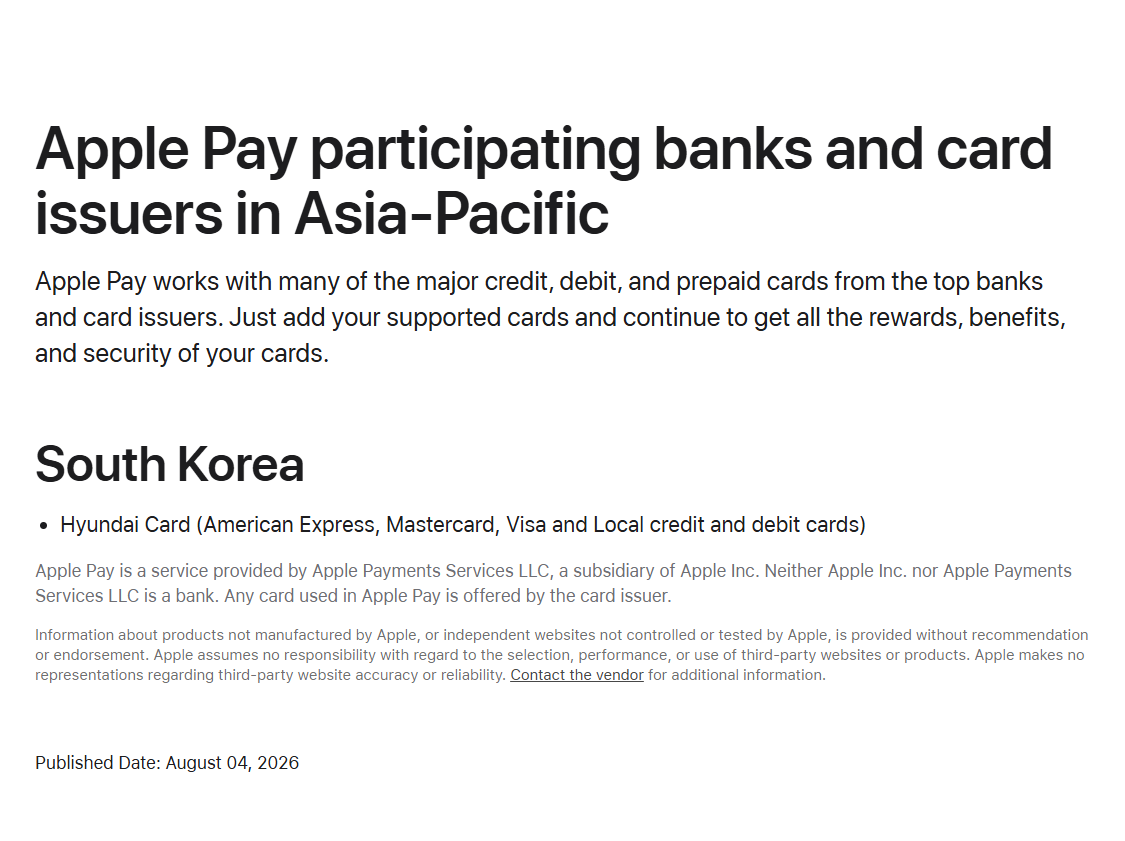
- Korean issuers: Apple’s participating-issuer page lists one South Korean issuer, Hyundai Card (page dated 4 August 2026). Visitors add cards from home, so this limit rarely affects you.
- Terminals: Korea Times reported in March 2025 that only about 10 percent of Korean card terminals were NFC-ready, and the Korea Tourism Organization signed a deal with Naver Pay on 1 December 2025 to spread NFC terminals to more merchants.
- Transit: a T-money card can live in Apple Wallet. Tourists create it through the Mobile Tmoney app’s “Foreigner” button (added in March 2026) and top up in the app; the Wallet app’s own top-up still needs a Hyundai Card.
- Subway gates: you cannot tap a foreign card at a Seoul fare gate yet; ticket machines at 273 stations have taken international cards since 17 March 2026 for Climate Card passes and single tickets.
- Food delivery: Baemin accepts Apple Pay with overseas Visa, Mastercard, JCB and Amex cards from 2 June 2026.
- Other wallets: Samsung Pay is built for Korean-issued cards, and South Korea is not on Google’s list of countries for Google Wallet tap to pay.
- Rule for apple pay korea: carry one physical Visa or Mastercard, a T-money or WOWPASS card for transit, and a little cash.
Prepaid card with T-money function · via KKday
WOWPASS: Prepaid Card for Cashless Payment in Korea
⭐ 4.7/5 from 1,570 KKday reviews · 20K+ sold · top up in 16 currencies · works as a T-money card · voucher from ₩6,000 · no cancellation (as of Oct 2026)
What this guide covers
What Is Apple Pay Korea and Do You Need It?
Apple Pay is the wallet inside your iPhone or Apple Watch, and Apple Pay Korea is that wallet used on Korean terminals. In Korea it matters for two separate jobs: tapping a card at a shop terminal and tapping a transit card at a bus or subway reader. Apple lists South Korea among the countries that support Apple Pay, and Apple Pay launched there in March 2023 with Hyundai Card as the first issuer. For a visitor the question is different: will the card you already own work through your phone? The sections below answer it job by job.

You do not need Apple Pay to travel in Korea. Korea is a card-first country, and how much cash to bring explains why a physical card plus a little won covers almost everything. Apple Pay Korea is a convenience for the shops that accept it, not a requirement.
1. Does Apple Pay Korea Work With a Foreign Card?
Yes, apple pay korea works with a foreign card, but only where the shop can read it. Apple Support says Apple Pay is accepted anywhere you see the contactless payment symbols, and your card from home behaves like any contactless card once it is in Wallet. In Korea that condition is the problem. Korea Times reported in March 2025 that NFC terminals were around 10 percent of the total, because many owners kept magnetic-stripe readers and their existing terminals already process Samsung Pay. A Seoul Economic Daily report from July 2026 adds that Shinhan Card and KB Kookmin Card are still weighing an Apple Pay launch, so more Korean issuers will not change the picture this year.
Two developments help visitors. First, the Korea Tourism Organization and Naver Pay agreed on 1 December 2025 to distribute Npay Connect, an all-in-one terminal with NFC, and to show merchants that take contactless payments on Naver Map. Second, Baemin began accepting Apple Pay with overseas Visa, Mastercard, JCB and American Express cards on 2 June 2026, which removes the card-number typing that foreign users faced before. Naver Map in English and our app guide show where to set both up.
Where it works and where it does not
| Place | Apple Pay with a home card | What to do |
|---|---|---|
| Convenience stores, cafe chains, department stores and malls | Often works when the terminal shows a contactless symbol | Try the phone first, keep the physical card in hand |
| Hotels and larger restaurants | Depends on the terminal | Ask before you order; card swipe or insert always works |
| Traditional markets, street food, small family restaurants | Often cash or card only | Carry won; see Gwangjang Market |
| Bus and subway | Not with a bank card in Wallet | Use a T-money card in Wallet, a physical T-money card or a Climate Card |
| Taxis | Kakao T handles payment in the app | See Kakao T Taxi |
| Baemin food delivery | Yes, with overseas Visa, Mastercard, JCB and Amex since 2 June 2026 | Pick Apple Pay at checkout |
2. Apple Pay Korea for Transit: T-money in Apple Wallet
For transit, Apple Pay Korea means a T-money card: Tmoney added its prepaid card to Apple Wallet on 22 July 2025, and in March 2026 the Mobile Tmoney iOS app gained a “Foreigner” button that skips the Korean sign-up. The steps for a visitor are short. Install Mobile Tmoney, tap Foreigner, issue a card so it appears in Wallet, then top up inside the app with a card that you add to Apple Pay. Tmoney’s App Store replies list Mastercard, American Express, UnionPay and JCB for top-ups; Visa is not on that list, so a Visa-only traveller should use a physical card. You need an iPhone XS or XR or later on iOS 17.2 or later.

Turn on Express Mode in Settings so you can tap without Face ID; the card keeps working for up to five hours after the battery warning. Three limits matter. Tmoney says the Apple Pay card is for public transit only, so do not plan to pay at a convenience store with it (Apple’s Korean FAQ is looser, but the operator’s rule wins). The Wallet app’s own top-up requires a Hyundai Card. And a balance refund is requested in the Mobile Tmoney app to a bank account in your own name, so spend the money rather than expecting cash back; a physical card refunds in cash at the desk for a ₩500 fee. The Climate Card cannot be added to Wallet at all.
For the gate itself, nothing changes for bank cards: tapping a foreign Visa or Mastercard at a Seoul turnstile is planned for 2027. What changed on 17 March 2026 is the machines: Seoul says 440 new machines at 273 stations on Lines 1 to 8 accept international credit and debit cards, plus Kakao Pay and Naver Pay, for Climate Card passes and single tickets, with an average fee of about 3.7 percent. The full comparison is in T-money vs Climate Card, and the Seoul subway guide covers fares and lines.
eSIM · Korea · via Airalo
Korea eSIM: unlimited data plans
Unlimited data from US$12 for 3 days, US$20 for 5 days and US$29 for 7 days · install before you fly (as of Oct 2026)
3. Samsung Pay, Google Pay and Other Wallets for Visitors
Samsung Wallet is Korea’s most-used payments app, with more than 19 million monthly users in May 2026 according to the Korea Herald, but it is built for Korean-issued cards. Samsung’s own community staff state that Samsung Wallet is region-locked, so a Korean-market Galaxy accepts only Korean cards. Google lists the countries where Google Wallet and tap to pay are available, and South Korea is not among them. If you use Google Wallet from home, treat it as a contactless card with the same terminal limits as Apple Pay Korea and keep the physical card for backup.
Naver Pay and Kakao Pay are Korean wallets that need a Korean card or account, so most visitors skip them. The apps guide lists which Korean apps accept a foreign phone number and card. Woori Bank has also said it plans a digital wallet for overseas tourists in the second half of 2026, so check the WOWPASS review and the Korea Travel Toolkit for new options.
4. Fallbacks When Apple Pay Korea Fails
- A physical Visa or Mastercard: accepted at almost every card terminal; choose won, not your home currency, when asked.
- WOWPASS: a prepaid card you load with cash in 16 currencies at machines, with a T-money chip built in; read the fees and rate check first. Buy the voucher on KKday.
- A physical T-money card: sold at convenience stores and topped up with cash in ₩1,000 units (₩1,000 to ₩90,000), the simplest way onto a bus.
- Cash: keep ₩50,000 to ₩100,000 for markets and small restaurants; the cash guide has the budget bands.
- Mobile data: a Korea eSIM from Airalo keeps maps, Kakao T and the Tmoney app online; compare options in eSIM vs SIM vs pocket Wi-Fi.
The key rules at a glance
| Question | Answer (as of Oct 2026) |
|---|---|
| Which Korean issuer does Apple list? | Hyundai Card only |
| Does a home card in Apple Wallet work? | At shops with contactless terminals |
| Is T-money in Apple Wallet possible for tourists? | Yes, via Mobile Tmoney Foreigner button; transit only |
| Which cards top up Mobile Tmoney? | Mastercard, Amex, UnionPay, JCB (Visa not listed) |
| Tap a foreign card at a subway gate? | Not yet; planned for 2027 |
| Subway ticket machines with foreign cards? | Yes, 440 machines at 273 stations since 17 Mar 2026, about 3.7% fee |
| Samsung Pay for visitors? | Korean-issued cards only |
| Google Wallet tap to pay in Korea? | South Korea not on Google’s supported list |
Mistakes to Avoid With Apple Pay Korea
- Leaving the physical card at the hotel because Apple Pay worked at the airport; a small restaurant may not have a terminal that reads it.
- Topping up Tmoney inside the Wallet app and getting stuck; use the Mobile Tmoney app instead.
- Loading a large Tmoney balance on the iPhone card; refunds need a bank account in your own name.
- Expecting to tap a foreign Visa at the subway gate; use T-money or a Climate Card until 2027.
- Forgetting to tap off the bus; you will be charged the maximum fare.
- Paying in your home currency when a terminal offers it; choose won.
- Assuming Samsung Pay or Google Pay solves the problem for a foreign card; they do not.
- Counting on the phone battery; keep a physical T-money card or WOWPASS as a spare.
If your phone dies in Seoul, the emergency numbers guide and the Korea packing list (plug adapter and power bank) cover the basics, and Korea plug type and voltage explains the sockets.
Frequently Asked Questions
Does Korea accept Apple Pay?
Yes, at shops with a contactless (NFC) terminal. Apple lists South Korea as a supported country, but many Korean shops still use readers without NFC, so carry a physical card.
Can tourists use Apple Pay in Korea with a foreign card?
Yes, where the terminal accepts contactless cards. Apple Pay works like a tap card, but only a minority of Korean terminals were NFC-ready in 2025, so keep your physical card and some won.
Can I use Apple Pay on the Seoul subway?
Not with a bank card at the gate. You can add a T-money card to Apple Wallet through the Mobile Tmoney app and tap that. Tapping a foreign Visa or Mastercard at the turnstile is planned for 2027.
Which Korean banks support Apple Pay?
Apple’s participating-issuer page lists Hyundai Card as the only South Korean issuer as of 4 August 2026. Visitors add cards from their home bank instead.
Does Samsung Pay work for foreign visitors?
Not with a foreign card. Samsung says Samsung Wallet is region-locked, so a Korean-market Galaxy accepts only Korean-issued cards.
Does Google Pay work in Korea?
Google does not list South Korea among the countries for Google Wallet and tap to pay. A Google Wallet card from home is a contactless card with the same terminal limits, so carry a physical card.
Do I need cash in Korea if I use Apple Pay?
Yes, a little. Markets, street food and small restaurants may take cash only, and a physical T-money card is topped up with cash in ₩1,000 units.
What is the best way to pay in Korea as a tourist?
Carry a physical Visa or Mastercard, a T-money or WOWPASS card for transit, a Korea eSIM for data and some won in cash, and use Apple Pay where the terminal accepts it.
What Should You Set Up Next Before You Land?
Before you rely on Apple Pay Korea, set up data and navigation first: a Korea eSIM from Airalo, then Naver Map and Kakao T. Then decide your transit card in T-money vs Climate Card, and read Incheon Airport to Seoul for the first ride, where the convenience store guide shows where to buy a card and top it up.
Sources (official pages checked)
- Apple Support, Apple Pay participating banks and card issuers in Asia-Pacific (South Korea), published 4 August 2026
- Apple Support, countries and regions that support Apple Pay
- Apple Korea, Apple Pay transit card (Tmoney) FAQ
- Tmoney, iPhone transit card: how to use Tmoney with Apple Pay
- Tmoney, foreigner guide: top-up and refund
- App Store, Mobile Tmoney (requirements and developer replies on top-up card brands)
- Seoul Metropolitan Government, Climate Cards and single-journey tickets now accept international cards (17 March 2026)
- Google Wallet Help, supported countries for Google Wallet and tap to pay
- Korea Tourism Organization via Financial News, partnership with Naver Pay on NFC payment infrastructure (1 December 2025)
- The Korea Herald, Baemin to open Apple Pay to foreign-issued cards (31 May 2026)
- The Korea Times, Two years in, Apple Pay struggles to gain foothold in Korea (14 March 2025)
- Seoul Economic Daily, Apple Pay expansion stalls again as Shinhan and KB weigh launch (2 July 2026)
- Korea JoongAng Daily, Apple Pay Tmoney allows foreigners and tourists to ride using iPhones (19 March 2026)
- The Korea Herald, Samsung Wallet remains Korea’s top payments app (July 2026)
Book the basics for your Korea trip
Affiliate links: we may earn a small commission at no extra cost to you.
Related Guides
- Korea Travel Toolkit: what to book before you fly
- T-money vs Climate Card – which card to buy
- WOWPASS Review – fees and rates
- How Much Cash to Bring to Korea
- Seoul Climate Card – what changed
- Seoul Subway Guide – lines and fares
- Korea eSIM vs SIM vs Pocket Wi-Fi
- Best Apps for Korea
- Naver Map in English
- Kakao T Taxi Guide
- Korea Convenience Store Guide
- Korea Tax Refund
- Korea Trip Cost – daily budgets
- Korea Packing List
- Korea Plug Type and Voltage
- Incheon Airport to Seoul
Apple Pay Korea facts last checked 19 October 2026 against Apple Support, Tmoney, the Seoul Metropolitan Government and Google Wallet Help. Issuer lists, top-up card brands and terminal coverage change; check Apple’s issuer page and the Mobile Tmoney app before you rely on them.